Stud Rider Unblocked — Play Free Online
More Driving games









Stud Rider unblocked: play Stud Rider online free right here in your browser — no download, no sign-up, works on a school Chromebook.
Stud Rider delivers a stripped-down physics challenge where smooth throttle control and balance matter far more than raw speed. You guide a small rider on a motorized scooter through hand-drawn, minimalist terrain filled with steep inclines, sudden drop-offs, and narrow landing zones. Because the courses reward calculated pacing over reckless acceleration, every jump requires careful evaluation before you launch.
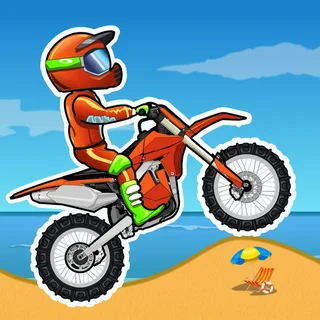
For players who enjoy the timing and obstacle navigation of Moto X3M, Stud Rider provides a clean, rhythm-focused alternative. The visual presentation strips away elaborate background distractions, putting all the focus squarely on rider posture and ground contour. Rounds are short, demanding, and built around the immediate loop of testing an approach, correcting an error, and clearing the next hurdle.
How to play
Getting your scooter moving uses straightforward keyboard inputs:
- Accelerate: Press the Up Arrow or W key to apply power to the wheels.
- Brake and Reverse: Press the Down Arrow or S key to slow down or roll backward.
- Lean and Balance: Press the Left Arrow or A key to tilt backward; press the Right Arrow or D key to lean forward.
Each track consists of uneven ramps, gaps, and rolling hills. Your primary objective is reaching the finish line upright. If the rider's helmet contacts any surface or if the scooter flips upside down on landing, the run resets immediately to the beginning or the latest checkpoint. Modulating your throttle on approach ensures you do not overshoot ramps into steep walls or uneven crevices.
Tips for cleaner runs
- Level your chassis before touchdown: Match the angle of your scooter to the slope of the landing surface. Hitting an incline on one wheel at high speed easily tosses your rider off balance.
- Feather the throttle on steep ascents: Holding full power on steep hills often causes the scooter to loop backward. Tap the accelerator in bursts to maintain traction without flipping over.
- Skip unnecessary mid-air rotations: While flips can look satisfying, completing an incomplete rotation is the fastest way to crash. Prioritize safe, flat wheel landings whenever a gap looks tight.
Similar games on Moto X3M
If you enjoy the physics balancing in Stud Rider, check out other standout driving titles in the catalogue. Moto X3M offers explosive stunt courses packed with timed hazards and industrial traps. Retro Highway trades precision trials for fast-paced highway traffic weaving, while Drive Mad challenges your wheel balance across wildly shifting vehicle builds and tilting platforms.
Stud Rider runs directly in your web browser with quick loading times, making it well suited for both rapid trial-and-error breaks and extended practice sessions.
Questions about Stud Rider
Is Stud Rider unblocked at school?
Stud Rider runs in an ordinary browser tab from motox3m.pro, with nothing to download or install, so it plays on most school Chromebooks and work computers. If a network filter blocks the site, only that network's administrator can change it.
What are the controls for Stud Rider?
Use the Up Arrow or W to accelerate, Down Arrow or S to brake, and Left/Right Arrows or A/D keys to lean and balance your scooter mid-air.
How do you avoid crashing on jumps in Stud Rider?
Keep your speed steady and tilt your rider so both wheels touch down parallel to the slope of the landing surface.
Can I play Stud Rider on mobile devices or Chromebooks?
Yes, Stud Rider runs directly in standard web browsers across desktop computers, laptops, Chromebooks, and modern mobile devices.